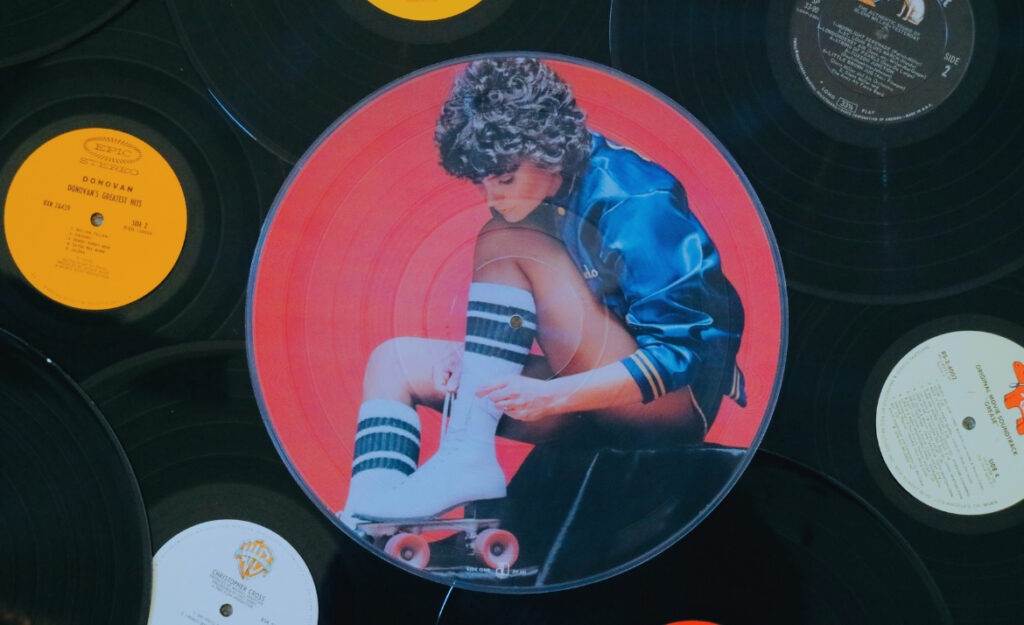
Seeing your favorite album cover swirl on a vinyl turntable is pure joy for any collector. Yet, even a minor mishap during picture disc cleaning can lead to scratches or image fade. Many hesitate before the cloth even touches the artwork.
Picture discs have unique visual appeal but require mindful routines to maintain sound and image quality. Dust, fingerprints, and static can dull not only the grooves but also the artwork you want to show off.
This article unpacks trusted picture disc cleaning strategies that safeguard both the vinyl and the cherished portraits. Let’s dive into actionable tips every picture disc enthusiast needs for lasting color, clarity, and sound.
Safe Cleaning Methods That Protect Both Grooves and Artwork
Every effective cleaning method starts by preventing accidental abrasion and liquid seepage into the artwork. Choosing the right tools and gentle techniques ensures lasting color and clear sound with each spin.
Collectors regularly ask for concrete steps to stop static, stains, and fading artwork issues. The following subsections present practical, easy-to-follow routines you can use for every picture disc cleaning session.
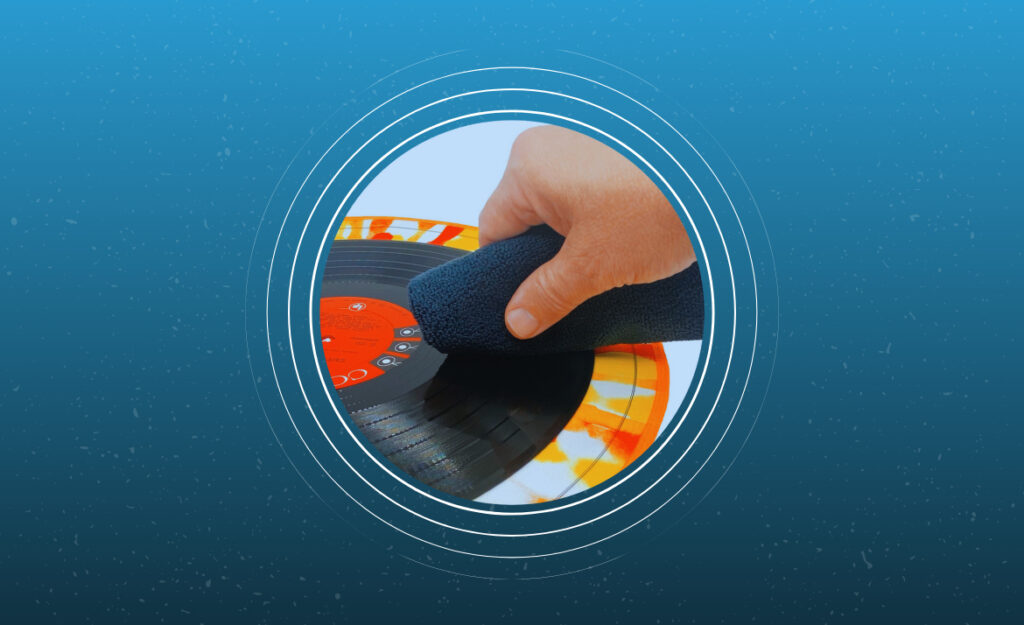
Using the Right Microfiber Cloth for Picture Discs
Selecting a soft, lint-free microfiber cloth is crucial. Those marked as safe for camera lenses or eyeglasses will glide over the surface without risking scratches or residue. Avoid rough or standard cotton fabrics, which may leave behind fibers or cause micro-abrasions when cleaning.
A dedicated, clean microfiber cloth means less risk of transferring grit or oil to the disc. Always assign a single cloth just for records, washing it in mild soap by hand and air-drying between uses. This routine guards both grooves and artwork simultaneously.
Mimic a gentle handshake—not a scrub—when cleaning the artwork area. Use almost no pressure, holding the disc at the edge and letting the cloth’s own texture lift dust. Practice first with a less valuable disc to get a feel for the touch needed.
Making and Applying the Safest Cleaning Solutions
Never use alcohol-based solutions or generic glass cleaners. Mix distilled water and a tiny drop of mild, dye-free dish soap. This blend prevents residue while protecting colorful ink layers beneath the laminate.
For cleaning, lightly dampen a microfiber—not wet—then work in small concentric motions away from the label, never across it. Quickly dry off excess moisture with a second, dry microfiber before returning it to the sleeve.
Avoiding pooling water is critical: if moisture sits longer than three seconds, color layers may soften or warp. Always prep the disc’s surface with a soft dusting before applying any damp solution to prevent streaking and smudging.
| Tool/Solution | Best for Grooves? | Safe for Artwork? | Takeaway |
|---|---|---|---|
| Microfiber Cloth | Yes | Yes | Best choice for all-round gentle cleaning |
| Distilled Water + Mild Soap | Yes, if well diluted | Yes, minimal risk to ink | Stick to tiny amounts and spot-test |
| Isopropyl Alcohol | No | No | Too harsh—fades artwork with repeated use |
| Compressed Air | No (may blow dust deeper) | Yes | Only for very light dusting; not for deep cleaning |
| Standard Record Brushes | Sometimes | No (rough bristles) | Use only soft, specifically labeled brushes |
Touch-Free Techniques to Minimize Artwork Damage
Preventing residue or oil from settling on the surface is the next line of defense. Consistent, hands-free habits reduce the risks of accidental fingerprints, smudges, and gradual ink wear on your picture discs.
Enthusiasts find that integrating these routines into storage and handling pays off with preserved image vibrancy and fewer deep-cleaning sessions down the line. Get started by reinforcing a few key rules below.
Finger Placement and No-Touch Handling
Hold picture discs only by their very outer edge and center label area. This keeps skin oil and dirt away from the image zone. A practical script: “Edge and label only, never artwork.”
- Always wash your hands before handling. Even invisible oil can collect dust and degrade artwork over time.
- If you need extra grip, use cotton or nitrile gloves—but confirm they’re powder-free to avoid extra residue.
- Return discs to their sleeves the moment you’re done cleaning or playing. This blocks airborne particles from settling.
- Never stack records or set them image-to-image. Pressure can press debris into the artwork, causing permanent marks.
- For display, opt for stands or frames that touch only the very edge—avoid clamps that contact the printed surface.
With these hands-off habits, even frequent listeners enjoy cleaner spins and vivid images longer.
Designating a Safe Cleaning Zone
Pick a smooth, static-free workspace for every picture disc cleaning routine. Use a lint-free towel as a surface and keep all tools within arm’s reach. This prevents reaching or dragging discs across rough tabletops.
- Lay a dedicated towel or anti-static mat to cushion the disc if you must set it down.
- Keep cleaning fluid containers capped while working to limit accidental spills near the artwork.
- Press record labels lightly when cleaning edges—labels can lift and carry liquid into the disc.
- Organize your tools before starting. Fumbling for cloths or bottles invites mishaps.
- Post-cleaning, let the disc rest for three minutes before sleeving to ensure total dryness.
Keep these small safeguards consistent for confident cleaning every time.
Storing Picture Discs for Artwork Longevity
Smart storage routines directly impact the condition of both vinyl grooves and printed images. Following these steps minimizes new residue and mechanical pressures that dull artwork or deform records.
Pairing optimal sleeves with climate control prevents damage many discover only after the fact. The subsections below break down actionable storage solutions collectors rely on.
Choosing the Ideal Inner Sleeve
Swap the original paper sleeve for a high-quality, anti-static inner sleeve. Look for those labeled as ‘polyethylene’ or ‘archival safe’ to keep dust and moisture away from both grooves and the artwork layer.
Slide the record gently into the sleeve, ensuring no edge catches on the artwork. Picture discs with delicate ink layers can suffer minor scratches from cheap or rough-edged sleeves. Touch only the outer rim and label when inserting or removing the disc.
If storing upright, leave a small gap between discs. Direct pressure can fuse sleeves to artwork or push particles into the surface, so always file vertically and never stack horizontally.
Maintaining Ideal Environmental Conditions
Vinyl and printed images degrade under humidity and UV light exposure. Store your collection in a room kept between 60 and 70 degrees Fahrenheit, with relative humidity under 55%. Avoid direct sunlight and fluorescent lighting near storage racks or shelves.
A humble analogy: treating your picture discs like collectible books—both fade or curl near heat, moisture, or light. Hanging blackout curtains or using low-heat LED bulbs protects color and lamination.
For tricky climates, invest in a small hygrometer and dehumidifier. Snap a yearly photo of a few covers to track subtle color loss over time and react early if you notice change.
Detecting and Responding to Common Cleaning Risks
Early identification of cleaning mishaps protects your collection from gradual artwork loss and audio degradation. Adjusting your routine at the first sign of problems limits damage and extends the life of both the music and the display value.
Watch for cloudy patches, edge swelling, or sticky residue after cleaning—these are signals the method or tools may need refinement. Below are two realistic scenarios collectors have faced and actionable steps to take next.
Avoiding Ink Lifting During Spot-Cleaning
If a stubborn fingerprint appears on the artwork, resist the urge to scrub. Instead, use a barely dampened microfiber cloth and press, don’t rub, for no more than two seconds at a time.
If color comes off on the cloth, stop immediately. Mark that area as delicate and avoid any future liquid application. Instead, dust that spot gently with compressed air only.
For severe marks, try a light dry eraser intended for photographs. After use, return the record to a sleeve and monitor any future spread of ink loss or clouding. Take notes for future cleaning attempts.
Recognizing Early Signs of Laminate Damage
If artwork develops bubbles or a foggy look, suspect moisture penetration. Don’t attempt to flatten or dry with heat. Instead, place the disc on a dry, clean towel in a temperate room for 24 hours.
Once dry, always clean using dry methods—avoid all liquids until the plastic seal is firm again. During future picture disc cleaning, apply liquid only to unaffected areas, if necessary at all.
Consider upgrading your sleeves and workspace to prevent similar damage. Use these incidents as checklists for safer daily handling and cleaning routines.
Preventive Measures: Everyday Habits for Collection Preservation
Implementing preventive habits lets your picture discs age gracefully, sidestepping risky cleaning sessions altogether. Even the smallest routines—like weekly dusting and monitoring air quality—compound over time for vibrant artwork and crisp playback.
Pick two habits from this section to try this week. Incorporating one new action now pays off with fewer cleanings and longer-lasting images throughout your collection.
Weekly Dust Patrol for Picture Disc Displays
If you display discs outside sleeves, use an anti-static duster each week. Hold the record upright and lightly sweep away settled dust, focusing on the image area.
Avoid feather dusters—they kick particles into the air rather than picking them up. For persistent build-up, use a gentle air blower positioned six inches away to move dust without smearing or abrading the artwork.
This routine takes less than two minutes for five records. Synchronize with a weekly home cleaning task for consistency and make maintenance almost automatic.
Establishing Regular Inspection Routines
Every two months, lay out your collection and check each disc in natural light. Look for dullness, new marks, or warping. Promptly address tiny issues with safe dry cleaning, so they don’t require intense restoration later.
Mark any questionable spots on sleeves with sticky notes. That way, you’ll know which records to approach with extra caution next cleaning session—avoiding unintentional damage to unique artworks.
Pattern your inspections with other routine chores: a bi-monthly record review fits nicely alongside rotating seasonal clothing or replacing air filters, making it sustainable all year.
Restoring Older Picture Discs: Safe Touch-Ups Without Loss
Reviving an older, neglected picture disc means weighing the risks of aggressive cleaning against gentle restoration. The following tips deliver cautious, detail-oriented steps to renew both grooves and visible art.
If you inherit or spot a record at a yard sale, check for grime that clouds images or affects sound. Start slow with the gentlest method first, repeating only when safe and necessary.
Using Photo-Grade Products for Inked Surface Touch-Ups
When cleaning minor spots on printed image areas, use products designed for antique photographs. Dab a dry, soft brush or a specialized archival cleaning pad gently onto the surface.
For cloudy sections, let the artwork rest in a dark, dry place for up to two days before trying a new approach. Never use heat or sunlight to “bake away” mist or bubbles, as this can warp or fade the disc permanently.
After cleaning, always return the picture disc to an archival sleeve and maintain low humidity to minimize reoccurrence of clouding or stickiness.
Strategies for Recalcitrant Adhesives and Label Residue
If an old price sticker or leftover adhesive sits near the artwork, do not scrape with a fingernail or blade. Instead, press a slightly damp cotton swab on the edge of the adhesive for two seconds, then lift—never rub sideways.
Continue dabbing until the adhesive softens. Pat dry immediately and repeat only as necessary. Avoid commercial “goo removers”—they risk leaching through the laminate and discoloring delicate inks.
Once all residue clears, dry-buff the surface gently with a microfiber and return to safe storage. Document this care in a collection log for future reference.
Why Specialized Tools Make All the Difference
Investing in purpose-built tools streamlines your cleaning process and directly reduces risk to both sound quality and visual artwork. The right equipment can minimize fatigue and maximize long-term preservation.
Select from approved brands or user-tested recommendations from other collectors. The following tools have earned trust for their proven performance in picture disc cleaning routines.
- Opt for carbon-fiber brushes for daily dust removal; their gentle bristles remove particles without scratching ink surfaces.
- Use anti-static record mats during cleaning to block static build-up, keeping hair and dust from resettling.
- Choose dedicated vinyl cleaning solutions over repurposed household sprays, as these formulas target only safe, record-friendly ingredients.
- Pick archival-grade storage sleeves to maintain both surface and image longevity through climate swings or humidity changes.
- Rely on premium microfiber pads for final polishing, replacing them monthly to prevent embedded grit from returning to the disc.
First-time buyers can compare prices, read user reviews, and test fit-and-feel on a spare record to find their best match without risking valuable discs.
Maintaining Pristine Picture Discs: Habits for Long-Term Enjoyment
Collectors who gently clean, properly store, and routinely inspect their picture discs enjoy vivid artwork and pure sound for decades. Each strategy above offers a practical path to preservation, whatever your collection’s size or age.
Prioritizing safe picture disc cleaning and hands-off handling makes every spin a celebration, not a source of stress. Effective habits multiply over years, protecting both musical enjoyment and visual delight without heavy intervention.
Let this article serve as a living reference—return to these tools, lists, routines, and scripts every few months. Small steps repeated over time keep your collection a highlight in both sight and sound.